
Switching Containers
This is a quick guide for how to switch your current running environment/container.
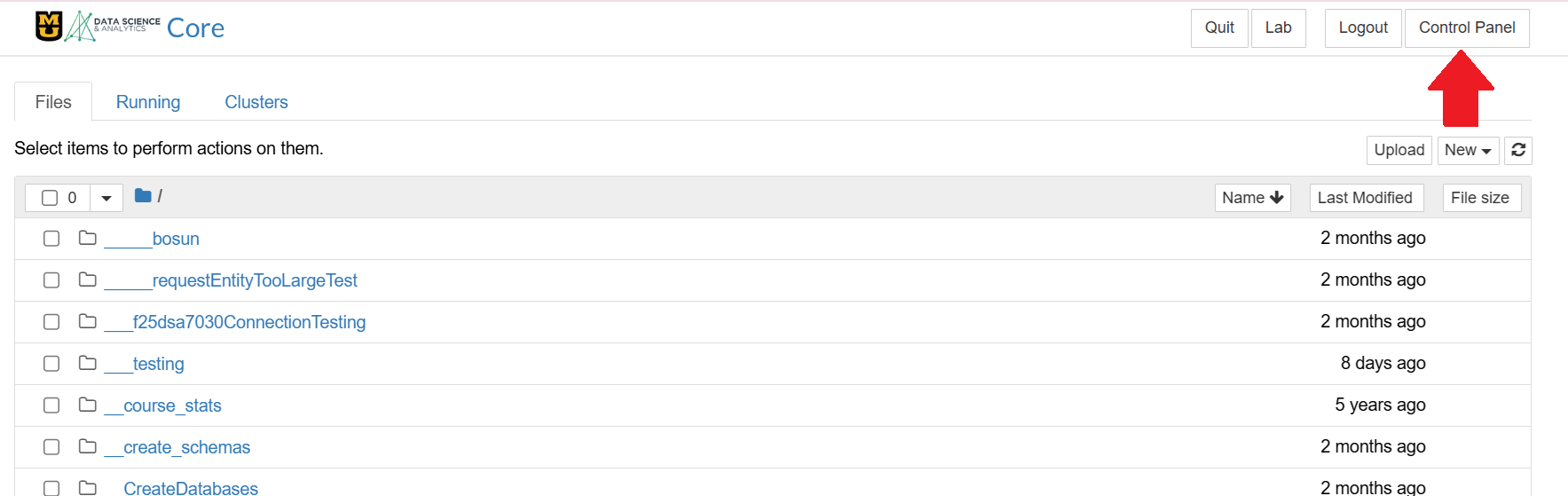
In the Jupyter Notebook Classic Interface, click Control Panel in the upper right.
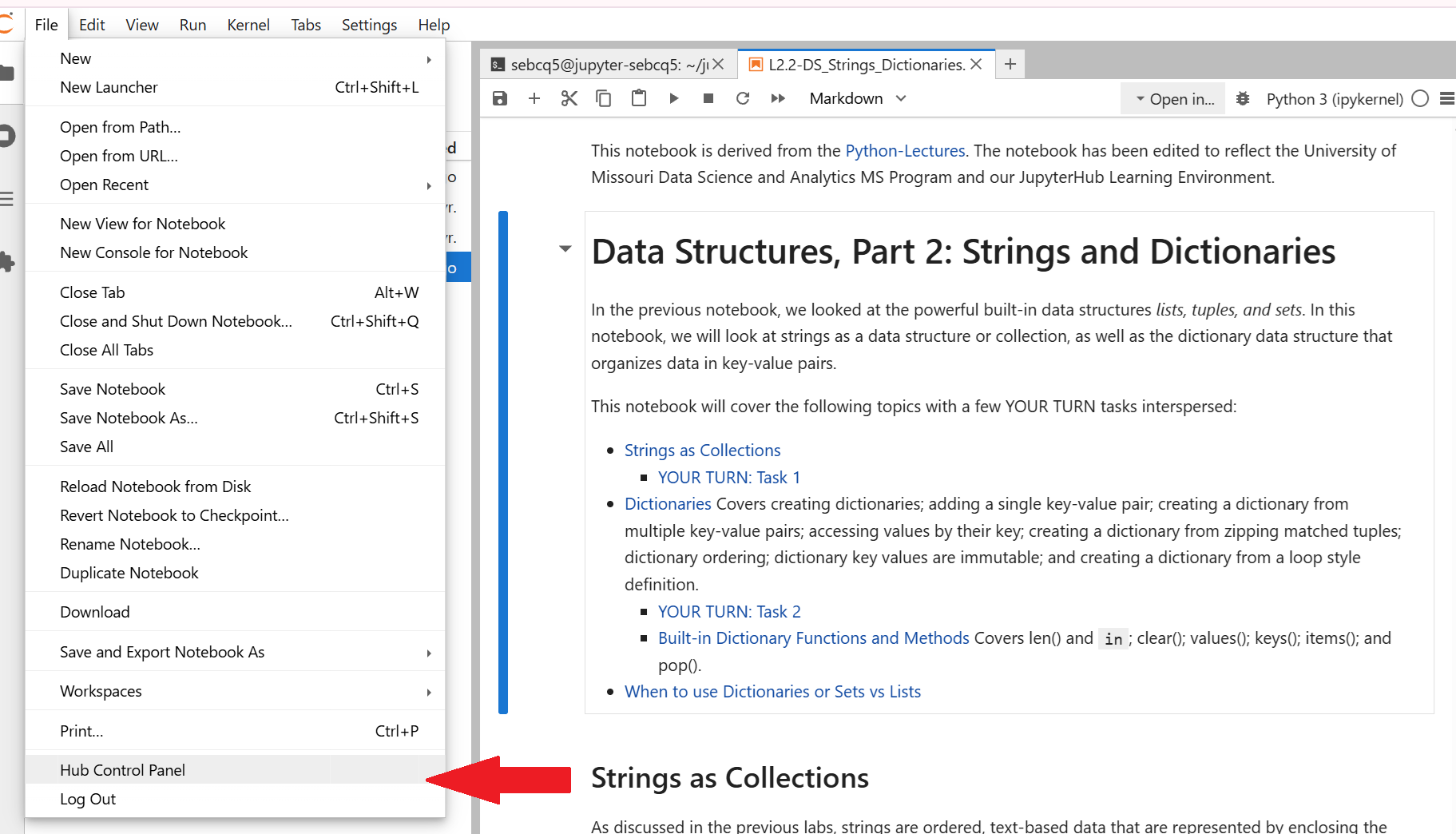
Or if you are in the JupyterLab interface, go to File > Hub Control Panel, then click the Stop My Server red button
Click "Stop My Server"

Wait a few seconds for the "Stop My Server" button to disappear.
Once "Start My Server" is the only button available it's safe to click.

Choose the Desired Container and click Spawn. (Your options will be different than this screen shot.)
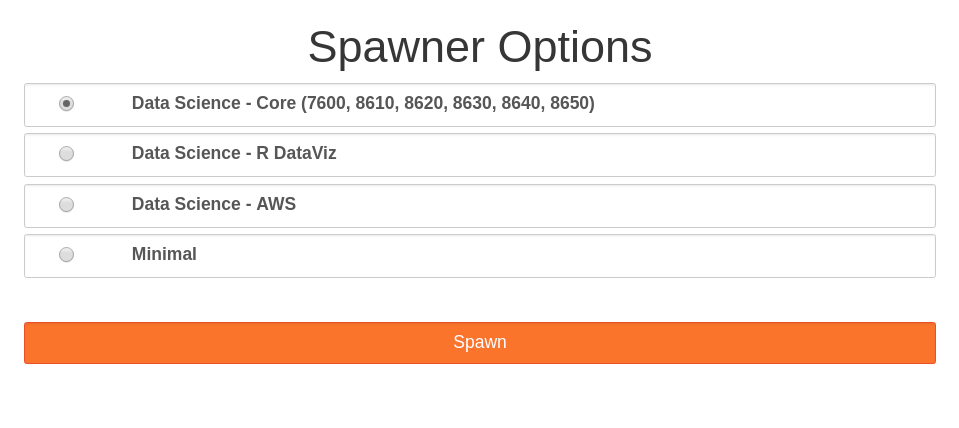
You are now be in the desired container.
Need more information or help? Reach out to us at 📧 jcwdw@missouri.edu